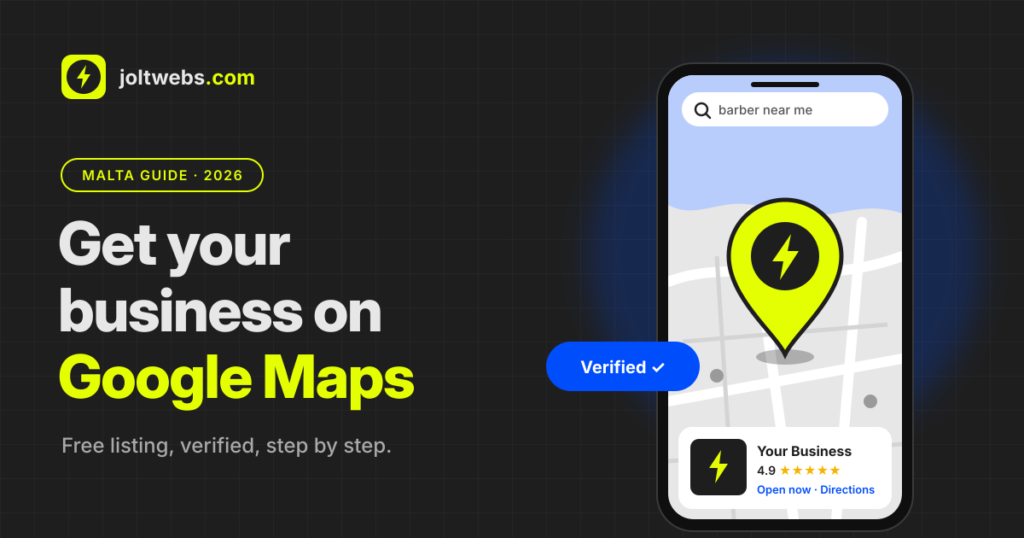
When someone in Malta searches “barber near me” or “pizza Gżira”, the first thing they see usually isn’t a list of websites. It’s a map with three businesses pinned on it. If your business isn’t on that map, those customers go to someone else.
The good news: getting on Google Maps is free. You do it through a Google Business Profile, and most small businesses can set one up in under an hour (verification takes a few more days).
I’m Darryl from Joltwebs. I set these up for small businesses in Malta, and below is exactly how to do it yourself, plus the mistakes that get Maltese listings stuck or suspended.
Quick answer
- Go to business.google.com and sign in with a Google account you’ll keep for the business.
- Search for your business first. If it already exists, claim it instead of making a new one.
- Add your name, category, address (or service area), phone and opening hours.
- Verify it, usually by recording a short video in the Google Maps app.
- Add photos and a link to your website, then ask happy customers for reviews.
What is a Google Business Profile?
A Google Business Profile (it used to be called Google My Business) is the free listing that shows your business on Google Maps and in the box on the right of Google search. It shows your address, opening hours, phone number, photos, reviews and a button to your website.
In Malta this matters even more than usual. The island is small, people search on their phones while they’re already out, and tourists rely on Maps for almost everything. A complete, verified profile is often the first impression a customer has of you.
Before you start: what you’ll need
Have these ready and the set-up goes much faster:
- A Google account for the business. Use one you’ll still have in five years, ideally your business email, not a staff member’s personal Gmail.
- Your exact business name, the way it appears on your sign, your invoices and your Facebook page.
- Your full address, including the Maltese postcode (three letters and four digits, like SLM 1549).
- A phone number with the +356 prefix that you actually answer.
- Your opening hours, including any days you close early.
- A few good photos: the outside, the inside, your products or your work.
- Your website address, if you have one.
How to get your business on Google Maps, step by step
1. Check whether your business is already on Google
Search your business name in Google Maps. Google sometimes creates listings automatically from public information, and customers can suggest places too. If you find yours, tap “Own this business?” or “Claim this business” and follow the steps. Creating a second listing for the same place causes duplicates, which confuses Google and your customers.
2. Create your profile
Go to business.google.com, sign in, and choose Add your business. Type your business name exactly as it is in real life.
3. Pick the right category
This is the most important choice you’ll make. Your primary category tells Google what you are, so be specific: “Hair salon” or “Barber shop”, not just “Beauty”. “Pizza restaurant”, not just “Restaurant”. You can add a few extra categories later for other things you offer.
4. Add your location or service area
- If customers come to you (shop, restaurant, clinic, gym), add your address and check that the pin sits on your actual door. In older village cores and narrow streets the pin often lands a street away, so drag it to the right spot.
- If you go to customers (electricians, cleaners, mobile hairdressers, plumbers), choose to hide your address and list the areas you serve instead, for example “Malta” or specific localities. Your home address then won’t appear publicly.
- Both? You can show your address and add service areas too.
5. Add your phone number and website
Add a number you answer during opening hours. If you have a website, add it here. If you don’t, leave it blank for now rather than linking to a page that isn’t really yours.
6. Verify your business
Google needs to confirm your business is real before it shows properly on Maps. You don’t get to choose how. Google offers the methods it accepts for your business type and location, and these days it’s usually a video.
Video verification is done in the Google Maps app on your phone. Record one continuous clip (no edits) that shows:
- Where you are: your street sign or nearby landmarks, then your entrance and signage.
- That you run the business: unlocking the door, the till, your tools, your stock or your work in progress.
- For service businesses: your branded van or tools, and something showing you manage the business, such as your business documents (keep personal details out of shot).
Reviews usually take a few working days. If it’s rejected, record a new one with clearer proof rather than giving up.
7. Finish your profile
Once you’re verified, fill in everything Google offers: opening hours, a short description, your services or menu, photos, and attributes like “wheelchair accessible” or “outdoor seating”. A half-empty profile looks abandoned, to customers and to Google.
A Maltese address tip most people miss
Many places in Malta have two names: Birkirkara or B’Kara, St Julian’s or San Ġiljan, Sliema or Tas-Sliema. Street names often have English and Maltese versions too.
Pick one version and use it everywhere: your Google profile, your website, your Facebook page and any directories you’re listed in. Google cross-checks these, and matching details (name, address, phone) help it trust that your listing is correct.
How to show up higher on Google Maps
Google says local results are based mainly on three things:
- Relevance: how well your profile matches what someone searched for. A complete profile with the right category wins here.
- Distance: how close you are to the person searching. You can’t move your shop, so focus on the other two.
- Prominence: how well known your business is. Google looks at your reviews (how many and how good), plus mentions of your business around the web, including your own website.
In practice, that means:
- Get reviews regularly. Ask happy customers straight after a good experience. A QR code at the counter or a link in your WhatsApp replies works well.
- Reply to every review, good and bad. Short and polite is fine.
- Add new photos every month or two. Real photos beat stock images.
- Keep your hours updated, especially for public holidays and August, when lots of Maltese businesses change their hours.
- Link to a proper website that repeats your name, address, phone and services.
Mistakes that get Malta listings stuck or suspended
- Stuffing keywords into your name. “Joe’s Barber Sliema Best Haircuts Malta” breaks Google’s rules. Use your real name only.
- Using a virtual office or a P.O. box as your address. If customers can’t visit, use a service area instead.
- Making a new profile instead of claiming the old one. You end up with duplicates and split reviews.
- Changing your details too often. Big edits to your name, category or address can send the profile back for re-verification.
- Setting it up on someone else’s account. If your nephew or an ex-employee owns the listing, getting it back is a headache. Make sure you’re the owner and add others as managers.
Do you still need a website?
Your Google profile gets you onto the map. A website is what turns that visit into a booking, a call or a sale. It’s where people check your full menu, prices, services and reviews before they decide.
It also helps your ranking: Google uses your website as one of the signals for how prominent your business is. A profile linking to a fast, clear website looks more trustworthy than one linking to nothing.
If you’re wondering what that would cost, I’ve written a separate guide: how much a website costs in Malta. Or see my prices directly. A one-page landing page starts from €490.
Questions people ask
Is a Google Business Profile free?
Yes. Creating, verifying and managing your profile costs nothing. Google may offer paid ads, but you don’t need them to appear on Maps.
How long does it take to appear on Google Maps?
Setting it up takes under an hour. Verification usually takes a few working days. After that, your profile appears on Maps, but climbing higher for busy searches takes weeks or months of reviews and a complete profile.
Can I list my business if I work from home?
Yes. Choose a service area and hide your address. Only show an address if customers actually visit you there.
Does this work for businesses in Gozo?
Yes, exactly the same way. Just make sure your locality and postcode are correct, and if you serve both islands, add both to your service areas.
Someone else already claimed my business. What do I do?
Use the “request access” option on the listing. The current owner gets a message, and if they don’t reply within the time Google gives, you can often claim it yourself.
My verification video was rejected. Now what?
Record a new one. Show your signage, your street and clear proof that you run the business, in one continuous take with good light.
Want it done for you?
If you’d rather spend your time running your business, I can set up and verify your Google Business Profile for you for €60: right category, correct pin, photos, hours and a link to your website. It’s one of the add-ons on my price list, and it pairs well with a new website or a care plan.
Get in touch or send me a message on WhatsApp, and I’ll get your business on the map.
Keep reading
Why working together is key to sucess
Why Teaming Up with Joltwebs is the Key to Your Website’s Success In today’s digital world, your website is often the first impression people…

10 Reasons Why Your Maltese Small Business Needs a Website
Why Having a Website is Non-Negotiable in 2025 In Malta’s competitive business landscape, having a website is no longer optional—it’s essential. Whether you run…

Top 10 Web Development Trends to Watch in 2025
Why Watching Web Development Trends Matters. In the ever-changing digital world, keeping up with web development trends is critical for businesses looking to stay competitive and innovative. By leveraging the latest technologies, you can enhance user experiences, improve efficiency, and position your brand as a leader in your industry.